Made by Classroom Mosaic with Scribe
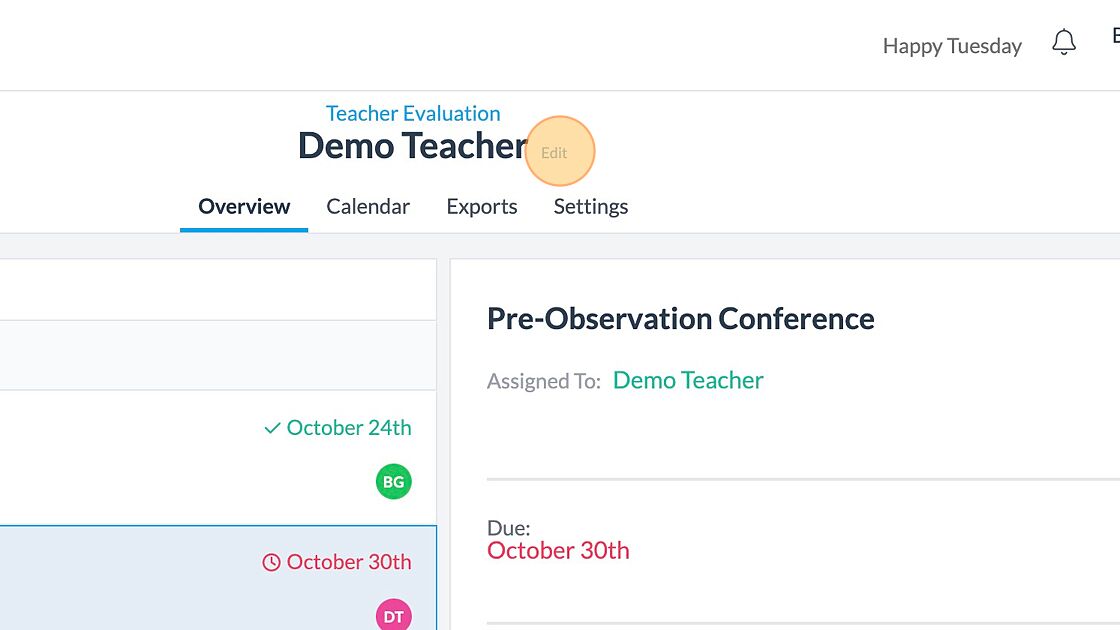
1. Navigate to the Evaluation that needs to be deleted
2. Click "Edit"
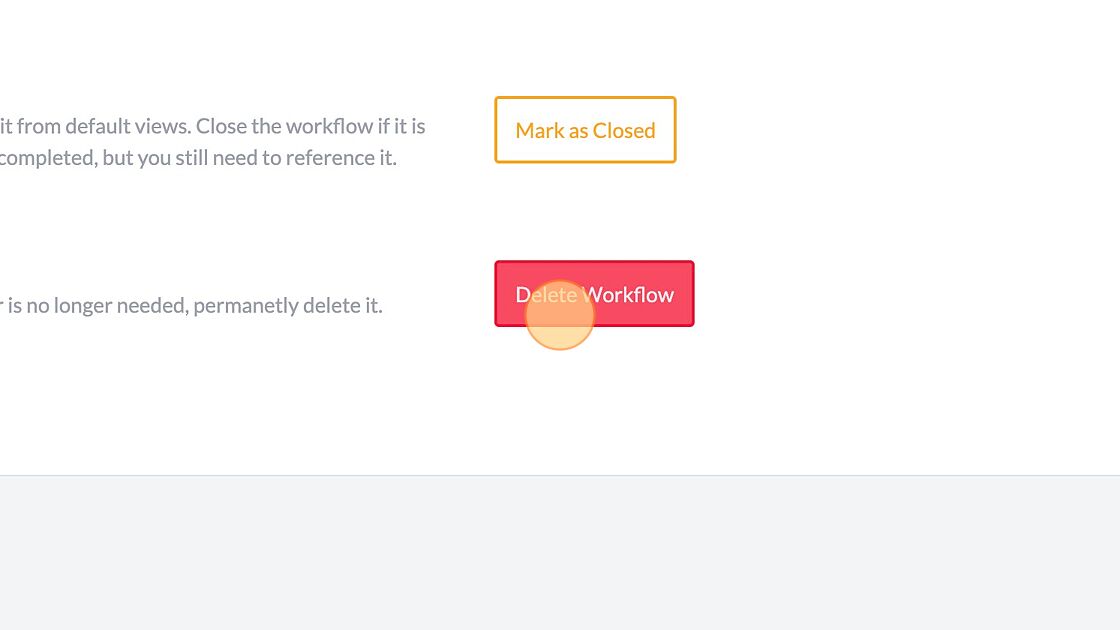
3. Click "Delete Workflow"
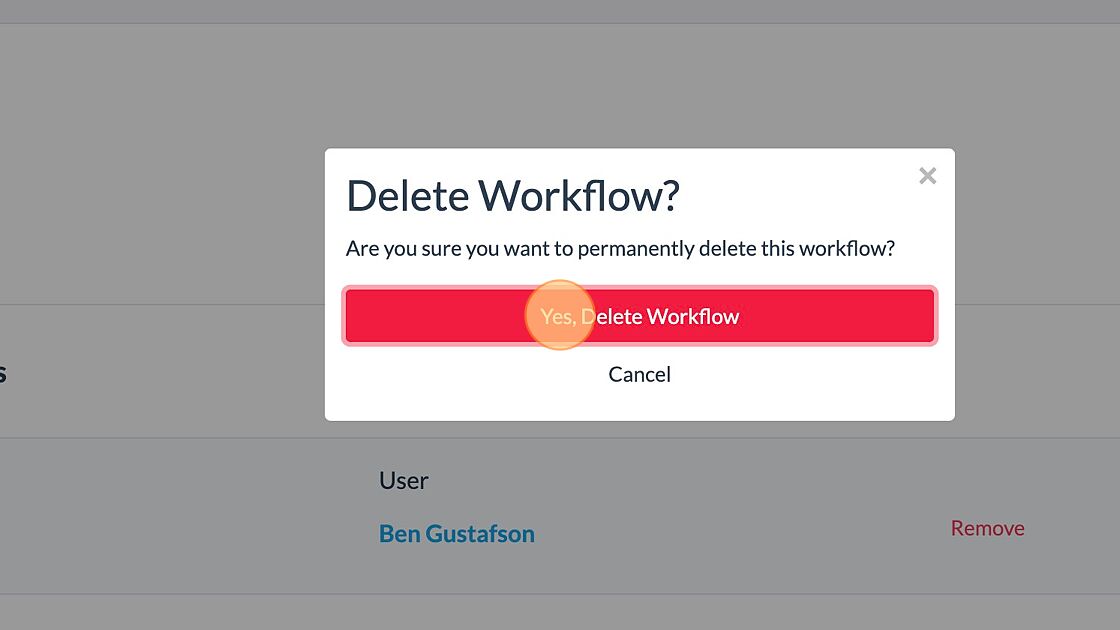
4. Click "Yes, Delete Workflow"

How can we help?
Get help straight from the Classroom Mosaic team.
Workflows
Step by step guide on how to delete evaluations
Last updated on 17 Mar, 2023
Made by Classroom Mosaic with Scribe
1. Navigate to the Evaluation that needs to be deleted
2. Click "Edit"
3. Click "Delete Workflow"
4. Click "Yes, Delete Workflow"